Short answer
S2Arm turns your own Switch games into native iPhone, iPad and Mac apps. It is by jhaizhou-ops, builds on nxnative and Ryujinx, and comes with graphical launchers for Mac and Windows. Version 0.2.0 came out on 9 November 2026. You need your own games and keys. We checked its release and download page but have not tested it on a device.
The repository opened on 8 November 2026 and had about 1,750 stars and 350 forks two days later. Searches for “s2arm” first appeared on 9 November.
What it does
- Native, not emulated: the game’s ARM64 code is rewritten at build time and runs directly on the iPhone, iPad or Mac processor. Graphics calls go straight to Metal.
- One app for your library: every game you import goes into the same S2Arm app, so it uses one app slot on your Apple ID.
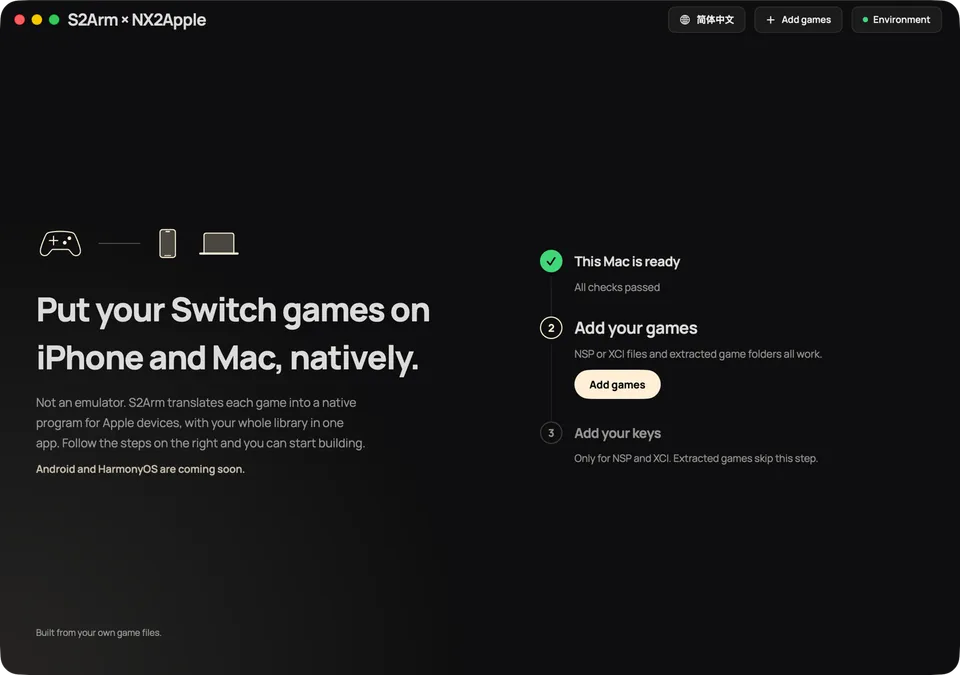
- Launchers: a Mac launcher and a Windows launcher take you through three steps: get the computer ready, add your keys, add your games. The Windows launcher can sign and install to an iPhone.
The README reports 211 games surveyed with a 95% first-try build rate, and a Switch 2 game at 60 fps on an iPhone 17 Pro Max while cool. Those are the project’s own figures.
What you need
- Your own Switch games and keys, from your own console. We do not explain how to get them.
- A Mac with Apple silicon on macOS 15 or later, or a Windows PC, to build.
- An iPhone or iPad on iOS/iPadOS 18 or later, to play on. Macs can play directly.
- 64-bit games only. The README says 32-bit games are not supported.
What we checked
The project is new and grew very fast, so on 10 November 2026 we looked closer:
- The download page links only to the project’s own GitHub releases.
- We listed the files in the Windows release (
S2Arm-windows-x64.zip, v0.2.0) without running it. It holds the launcher, the build engine and its tools (Python, .NET, Git). We found no game files, keys or firmware. Its per-game folders hold only small widescreen tables. - Its name does not copy another project, and it credits nxnative, Ryujinx and others by name.
We did not audit the code or test the Mac build.
Is it safe and legal?
S2Arm is open source under Apache-2.0 and is not affiliated with Nintendo. Use only games and keys from a console you own, and never share what it builds. Download only from the official releases page.
For the engine it builds on, see nxnative. For Switch 2 games on Mac only, see switch2mac.
FAQ
What is S2Arm?
An app and launcher by jhaizhou-ops that turns your own Switch games into native apps for iPhone, iPad and Apple silicon Macs. The game's ARM64 code is rewritten at build time and runs directly on the device, with graphics going to Metal. It is not an emulator.
Is S2Arm the same as nxnative?
No, but it builds on it. S2Arm credits nxnative by seedds for its direct graphics layer and Ryujinx for system services and shader translation. S2Arm adds graphical launchers for Mac and Windows and keeps every game in one iPhone app.
Does S2Arm include games or keys?
No. Its README says it ships no games and no keys. We also listed the Windows release package on 10 November 2026 and found no game files, keys or firmware in it. You import your own.
What do I need for S2Arm?
Your own Switch games and keys from your own console, a Mac (Apple silicon, macOS 15 or later) or a Windows PC to build on, and an iPhone or iPad on iOS/iPadOS 18 or later. You sign and install with your own Apple ID.
Does S2Arm work on Android?
Not yet. The README lists Android and HarmonyOS as coming soon. For Android, see DroidPlay Core and nx2android.
Why did S2Arm get so many stars so fast?
It went from release to about 1,750 stars in two days. Its author also made d2r-mobile, which had over 5,000 stars. Fast growth alone says nothing about safety, so download only from the official repository.
Unofficial. This page is written by an independent directory. It is not made by, endorsed by or affiliated with Nintendo and others or jhaizhou-ops (S2Arm (Switch games native on iPhone, iPad and Mac)'s author). We do not host any files, and we never link to game files, ROMs or ISOs.
Sources
This page was last updated on Nov 13, 2026. A date after a source is the day we read it. Versions and steps follow the official project; if they differ, the official source wins.
More ports
See every native PC version of a console game in our recompiled games list, browse all PC ports of console games, or go back to the full list of ported games.