Short answer
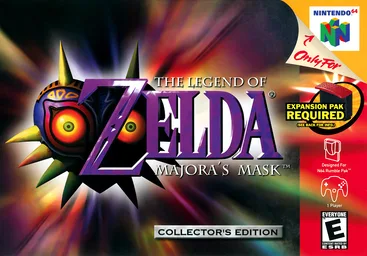
Majora’s Mask runs natively on PC through two fan projects. Zelda 64: Recompiled (latest v1.2.2, 27 August 2025) is a static recompilation for Windows, Mac and Linux with high frame rates, widescreen and mods. 2 Ship 2 Harkinian (latest 5.0.1, 25 August 2026) is built on the decompilation. Neither includes the game: you supply a ROM of your own copy.
This site is not affiliated with the Zelda 64: Recompiled team, Harbour Masters or Nintendo. We do not host any files and only link the projects’ official pages.
What it is
Majora’s Mask came out on the Nintendo 64 in 2000. Nintendo remade it for the 3DS in 2015 but has never released it on PC.
Zelda 64: Recompiled uses N64: Recompiled, a tool by Wiseguy, to “statically recompile Majora’s Mask (and soon Ocarina of Time) into a native port with many new features, enhancements, and extensive mod support” (Zelda64Recomp README). Instead of emulating the N64, the recompiler converts the game’s original machine code into a modern program. Graphics go through RT64, a renderer built to reproduce N64 effects exactly while adding widescreen and high frame rates. The README notes that it does not depend on decompiled source code, though it borrows headers and some functions from the decompilation team to make its enhancements.
The project’s README also states a strict no-generative-AI policy for all contributions.
Current status
- Status: Working. Stable since its first release in May 2024.
- Latest release: v1.2.2, 27 August 2025, with builds for Windows, macOS, Linux x64, Linux ARM64 and a Flatpak.
- Recent activity: the repository was last updated on 25 September 2026. Ocarina of Time support is in development.
- Mobile: no Android or iPhone builds.
What you need
- Your own copy of Majora’s Mask: the North American N64 version as a ROM file. The FAQ is blunt: “it will only accept one specific ROM: the US version of the N64 release”. ROMs in other byte orders are converted automatically. We do not link, host or explain how to get a ROM.
- A graphics card with Direct3D 12, Vulkan 1.2 or Metal support. The README names the oldest supported cards: GeForce GT 630, Radeon HD 7750 and Intel HD 510. On a Mac you need Apple silicon or a 7th-generation Intel chip with macOS 13 or later.
- A CPU with SSE4.1 on x86-64 PCs (Intel Core 2 Penryn or AMD Bulldozer and newer). ARM64 builds run on any ARM64 CPU.
How setup works (overview)
- Download the zip for your system from the official releases page and unpack it.
- Start the program and select your US Majora’s Mask ROM in the main menu. There is no separate extraction step.
- Adjust graphics, controls and audio in the in-game menu (works with mouse, keyboard or controller), then start playing.
- To add mods, drop them into the mods folder or install them from the in-game mod menu.
Saves are kept in %LOCALAPPDATA%\Zelda64Recompiled\saves on Windows, ~/.config/Zelda64Recompiled/saves on Linux and ~/Library/Application Support/Zelda64Recompiled/saves on macOS. Put a file named portable.txt next to the program to keep saves and mods in the same folder instead.
Main features
- Any frame rate, defaulting to your monitor’s refresh rate, without changing game speed.
- Widescreen and ultrawide, with most effects adjusted to work outside 4:3.
- Accurate N64 effects through RT64: the grey cutscenes, Lens of Truth, fire arrows and other framebuffer tricks render as on hardware.
- Dual analog camera, gyro aiming and extra control options, plus autosaving, low input lag and instant load times.
- Mods, including the MMRecompRando Archipelago randomizer.
- Linux and Steam Deck support; the FAQ explains how to set up gyro aiming in Steam’s controller settings.
2 Ship 2 Harkinian, the other PC port
2 Ship 2 Harkinian comes from the same community as Ship of Harkinian, the Ocarina of Time PC port, and is built the same way: on the fan decompilation of Majora’s Mask (zeldaret/mm). Its latest release is 5.0.1 “Battler Bravo” (25 August 2026), for Windows, Mac and Linux.
Like Zelda 64: Recompiled it includes no copyrighted assets; you check your ROM with its compatibility checker and select it on first launch. It renders with DirectX 11, OpenGL or Metal, has an F1 menu bar of enhancements, supports custom asset packs (Tab toggles them) and uses WASD and the arrow keys by default.
Which to pick is mostly taste: Zelda 64: Recompiled for the most faithful look and its mod ecosystem, 2 Ship 2 Harkinian if you already like Ship of Harkinian’s menus and options.
Common problems
- Crash on startup: update your graphics drivers first, per the README.
- Stutter: external frame limiters such as the NVIDIA Control Panel can cause it; turn them off and use the in-game frame rate slider.
- Poor performance or broken rendering: overlays like MSI Afterburner and programs like Wallpaper Engine are a known cause. Disable them.
- “Wrong ROM”: Zelda 64: Recompiled only accepts the US N64 version. Other regions will not load.
FAQ
Can you play Majora's Mask on PC?
Unofficially, yes. Two fan projects run the Nintendo 64 game natively on Windows, macOS and Linux, including Steam Deck. Zelda 64 Recompiled is built by static recompilation; 2 Ship 2 Harkinian is built on the fan decompilation. Both need your own copy of the game.
Which is better, Zelda 64 Recompiled or 2 Ship 2 Harkinian?
Both are complete and stable. Zelda 64 Recompiled focuses on accurate N64 graphics through its RT64 renderer, high frame rates and a mod system, and only accepts the US ROM. 2 Ship 2 Harkinian, from the Ship of Harkinian team, has a menu bar full of enhancements and cheats, custom assets and more renderer choices.
Which ROM does Zelda 64 Recompiled need?
Only the North American Nintendo 64 version of Majora's Mask. The README says it is not an emulator and will not run any other ROM; files in other formats are converted automatically if they are that version. We do not link any ROMs.
Is Zelda 64 Recompiled an emulator?
No. Static recompilation translates the game's machine code into a native program ahead of time, so there is no emulator running while you play. The RT64 renderer draws the game's graphics with modern APIs.
Is there a Majora's Mask randomizer for PC?
Yes. The Zelda 64 Recompiled README links MMRecompRando, an Archipelago randomizer that installs as a mod. 2 Ship 2 Harkinian has its own enhancement options.
Can I play Majora's Mask on iPhone?
There is no official iPhone build of either project. MaskPad is a small third-party project that rebuilds 2 Ship 2 Harkinian for iPhone and iPad, which you compile yourself.
Unofficial. This page is written by an independent directory. It is not made by, endorsed by or affiliated with Nintendo or Wiseguy and the Zelda 64: Recompiled team (Zelda 64: Recompiled (Majora's Mask PC port)'s author). We do not host any files, and we never link to game files, ROMs or ISOs.
Sources
This page was last updated on Nov 3, 2026. A date after a source is the day we read it. Versions and steps follow the official project; if they differ, the official source wins.
- Zelda64Recomp/Zelda64Recomp README (static recompilation with N64Recomp and RT64, system requirements, features, US ROM only, FAQ, no game assets, no-AI stance; checked 2026-11-03)
- GitHub API: Zelda64Recomp repository (created 23 October 2023, about 7,600 stars, GPL-3.0, last push 25 September 2026; checked 2026-11-03)
- Zelda 64: Recompiled v1.2.2 release, 27 August 2025 (Windows, macOS, Linux x64, ARM64 and Flatpak files)
- N64: Recompiled (the recompiler the port is built with)
- 2ship2harkinian/2ship2harkinian README (no copyrighted assets, ROM checker, quick start, default keys, renderers; checked 2026-11-03)
- 2 Ship 2 Harkinian 5.0.1 "Battler Bravo" release, 25 August 2026 (Windows, Mac and Linux)
- zeldaret/mm: the Majora's Mask decompilation
- RecompRando/MMRecompRando: Archipelago randomizer mod for Zelda 64: Recompiled
More ports
See every native PC version of a console game in our recompiled games list, browse all PC ports of console games, or go back to the full list of ported games.