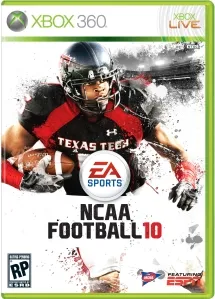
Short answer (checked 24 October 2026)
Yes, the PSP version of NCAA Football 10 now runs in a browser tab, unofficially, through NCAA 10 PSP Web Recomp by awest813, a static recompilation to WebAssembly. You open the player and pick your own uncompressed US ISO (ULUS10440); nothing is uploaded. Kickoffs, full drives and postgame have been reached; Chrome on Windows is the verified setup.
NCAA Football 10 is EA Sports’ 2009 college football game; this project uses its PlayStation Portable version. The repository was created on 12 October 2026, and the hosted player was updated on 20 October.
This site is not affiliated with the project, EA or the NCAA.
What it is
- A static recompilation: the PSP game’s Allegrex (MIPS) executable is translated ahead of time to C++, compiled to WebAssembly and linked with a PSP host runtime and a WebGL2 renderer. It is built on PSPRecomp with patches.
- A hosted player: the project’s page supplies the prepared engine; you supply the disc image, which is read locally.
How to play
- Open the hosted player in a browser with WebGL2 and shared-memory support (Chrome on Windows is the tested one).
- Pick your uncompressed US ISO (ULUS10440). After a reload you have to pick it again.
- Wait for validation, press Enter for Start, follow the first-run prompts and choose Play Now.
Keyboard: Enter Start, Z / X / A / S Cross / Circle / Square / Triangle, arrow keys D-pad, I / J / K / L analog stick, Q / W L and R, Shift Select. Gamepad and touch controls exist, but controller and phone support are incomplete.
Saves are kept in the browser’s storage for the site; use Export saves for a backup before clearing site data or switching browsers. Encrypted saves from a real PSP or PPSSPP are refused.
Current status
The README reports about 30 frames per second at full simulation speed on the tested PC, with loading and presentation stalls. Graphics accuracy work is ongoing, the intro movie is skipped (no AVC playback), and other executable revisions, all game modes and long sessions are not yet confirmed.
Not working?
- ISO rejected: it must be uncompressed and the US release; CSO, ZSO and ZIP are refused.
- Black screen or no start: use a current Chrome; the page needs WebGL2 and shared memory.
- Lost progress: export saves regularly; browser storage can be cleared.
More sports games ported by fans: MVP Baseball 2005, FIFA Street, PES 6.
FAQ
Can I play NCAA Football 10 in a browser?
Yes, the PSP version, with your own disc image. NCAA 10 PSP Web Recomp by awest813 runs it in a browser tab; you pick an uncompressed US ISO and the page reads it locally. Chrome on Windows is the verified setup.
Is there an NCAA Football 10 PC port?
There is no native PC version. This project is the closest thing: the PSP game's code translated ahead of time to C++ and WebAssembly, so it runs in a browser on a PC.
Which ISO does it need?
An uncompressed US PSP ISO of NCAA Football 10 matching ULUS10440 and the supported executable revision. ZIP, CSO and ZSO files are not accepted.
Does the site upload my ISO?
According to the README, no. The player reads only the file and sector ranges it needs from your device, and the site hosts no ISO, disc files or saves.
How well does it run?
The README says play has been verified past the menus, through the coin toss, kickoff, drives on offense and defense, and in one run to postgame, at about 30 frames per second on the tested Windows PC. The intro movie is skipped, and audio and loading still stall at times.
Unofficial. This page is written by an independent directory. It is not made by, endorsed by or affiliated with EA Sports or awest813 (NCAA 10 PSP Web Recomp (NCAA Football 10 in the browser)'s author). We do not host any files, and we never link to game files, ROMs or ISOs.
Sources
Facts on this page were checked against these official sources on Oct 26, 2026. Versions and steps follow the official project; if they differ, the official source wins.
More ports
More browser game ports you can play in a tab, the newest ports added this week, or the full list of ported games.