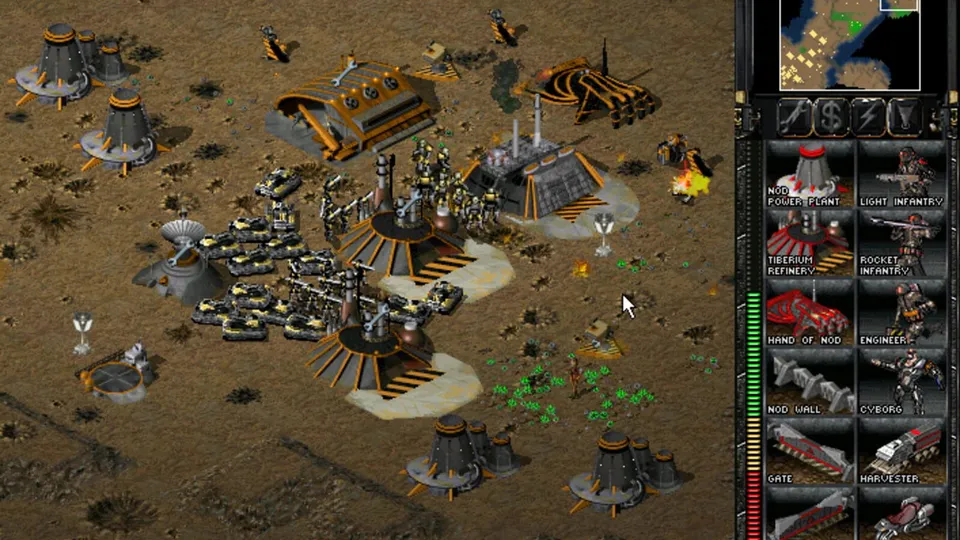
Short answer
OpenTS is a community-led, open-source rebuild of the Command & Conquer: Tiberian Sun engine as a standalone program, targeting Tiberian Sun 2.03 Firestorm. It runs on Windows 10 1903+ with the game installed from The Ultimate Collection (Steam or EA app). Latest release: 0.1.0, 27 August 2026.
This site is not affiliated with OpenTS or Electronic Arts. We do not host any files and only link the project’s official pages.
What it is
Westwood’s Tiberian Sun (1999) and its Firestorm expansion still have a modding and multiplayer scene. Most community work so far, such as Vinifera, extends the original executable.
OpenTS takes a different route: “Instead of patching or extending the retail executable, it rebuilds the engine as a standalone program” (OpenTS README). It is “a playable engine based on Electronic Arts’ GPL-released source for related Command & Conquer games and Tiberian Sun-specific reverse engineering”. The README is equally clear about what it is not: not a remaster or remake, not an official EA source release, and not a distribution of the game’s assets.
Current status
- Status: Working and very new (repository created 28 June 2026, last update 2 November 2026).
- Latest release: 0.1.0, 27 August 2026, with 32-bit and 64-bit Windows builds. Nightly builds are linked from the README.
- Platforms: Windows 10 version 1903 or newer. Wine may work, but there is no supported Linux build.
What you need
- Tiberian Sun from Command & Conquer The Ultimate Collection on Steam or the EA app.
- Windows 10 version 1903 or newer.
We do not link any copies of the game data.
How setup works (overview)
- Install Tiberian Sun from The Ultimate Collection.
- Download the release zip (32-bit or 64-bit) from the releases page.
- Extract it into the Tiberian Sun game folder.
- Run
Game.exe.
Keep saves and network games on one build: 32-bit and 64-bit saves and network packets are not compatible, and a mismatch shows up as a failed load or a desync.
Related
For Red Alert and Tiberian Dawn, see OpenRA; for Generals, see Generals Zero Hour.
FAQ
What is OpenTS?
A community-led, open-source reconstruction of Command and Conquer Tiberian Sun that rebuilds the engine as a standalone program instead of patching the retail executable. It targets Tiberian Sun 2.03 with the Firestorm expansion.
How do I install OpenTS?
Install Tiberian Sun from Command and Conquer The Ultimate Collection on Steam or the EA app, extract the OpenTS release zip into the Tiberian Sun folder, and run Game.exe. It needs Windows 10 version 1903 or newer.
Is OpenTS a remaster or an official release?
No. The README says it is not a remaster or remake, not an official Electronic Arts source release, and not a distribution of the game's assets. It is an independent community project.
Should I use the 32-bit or 64-bit build?
The 32-bit build runs on 32-bit and 64-bit Windows and has the longer track record; the 64-bit build needs 64-bit Windows. Keep saves and network games on one platform, because the two builds are not compatible with each other.
Unofficial. This page is written by an independent directory. It is not made by, endorsed by or affiliated with Electronic Arts (developed by Westwood Studios) or OpenTS developers (OpenTS (Command & Conquer: Tiberian Sun engine rebuild)'s author). We do not host any files, and we never link to game files, ROMs or ISOs.
Sources
This page was last updated on Nov 3, 2026. A date after a source is the day we read it. Versions and steps follow the official project; if they differ, the official source wins.
- OpenTS-Developers/OpenTS README (community-led reconstruction of Tiberian Sun as a standalone engine, targets 2.03 Firestorm, what it is and is not, downloads, installing, Windows 10 1903+; checked 2026-11-03)
- GitHub API: OpenTS repository (created 28 June 2026, about 610 stars, last push 2 November 2026; checked 2026-11-03)
- OpenTS 0.1.0 release, 27 August 2026
- Vinifera-Developers/vinifera: an engine extension for the original Tiberian Sun executable
More ports
See every native PC version of a console game in our recompiled games list, browse all PC ports of console games, or go back to the full list of ported games.