Short answer (checked 23 October 2026)
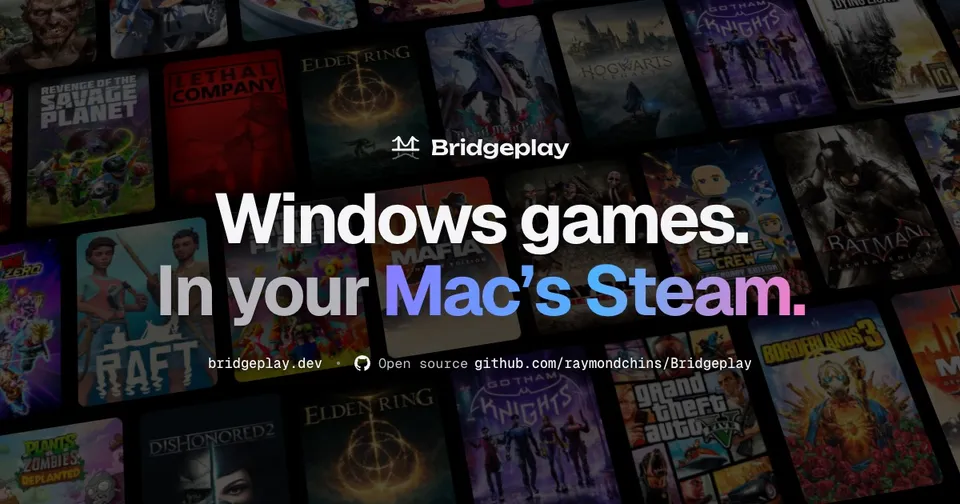
Bridgeplay runs Windows-only Steam games on Apple silicon Macs, inside the Mac Steam client. It is a free, open-source (GPL-3.0) tool by Raymond Chin (raymondchins/Bridgeplay, bridgeplay.dev), first released on 20 October 2026. It uses CodeWeavers’ WineCX and Apple’s Game Porting Toolkit 4 (DirectX 12 on Metal). You need an M1 or newer Mac on macOS 26 and your own Steam games. It contains no games.
This site is not affiliated with Bridgeplay, Apple, Valve, CodeWeavers or the game publishers. We link only the project’s repository and its official site, not the installer.
What it is
Bridgeplay is not a port of one game but a compatibility tool, much like Valve’s Proton on Linux. Mac Steam already contains the Steam Play feature but leaves it switched off. Bridgeplay switches it on and registers itself as a compatibility tool. Windows games then appear in the Steam library you already use and start with Play, with no separate bottle app or second launcher.
It is a fork of NotProton (GPL-3.0), which does the same with a paid CrossOver install. Bridgeplay adds a one-click installer and its own free engine. The repository was created on 20 October 2026, and the first app release came out the same day. Its 500-plus commits include NotProton’s history from September 2026. The developer, based in Jakarta, has had a GitHub account since 2015. The official site bridgeplay.dev links the repository, and the repository links the site.
How it works
The README lists these parts:
- Engine: CodeWeavers’ open-source WineCX 11.17 with MSync, running under Rosetta 2. Bridgeplay patches a few Wine files and publishes the source for them.
- Graphics: Apple’s Game Porting Toolkit 4.0 beta 3 (D3DMetal) turns DirectX 11 and 12 into Metal. DXMT and DXVK are there for games that prefer them.
- DLSS answered by MetalFX: games see a DLSS-capable graphics card, so the DLSS option shows up; Apple’s MetalFX does the upscaling, and DLSS Frame Generation runs on MetalFX frame interpolation.
- Frame generation: Bridgeplay’s own 2×, 3× or adaptive frame generation, switched on per game, for native Mac games too.
- Controllers and Retina: DualSense, Xbox, GameSir and other pads work without a mapping screen, and games draw at the display’s full resolution.
Each game’s settings (graphics backend, Metal HUD, DLSS, frame generation, controllers) sit in Steam under the game’s Properties › Bridgeplay.
What you need
- A Mac: Apple silicon, M1 or newer (Intel Macs are not supported), on macOS 26 or newer, with an admin account.
- Steam: a Steam account and the Windows games you own. Games install from Steam as usual.
- Downloads: the installer is under 1 MB and fetches about 570 MB: Bridgeplay, Apple’s graphics files, the engine, Rosetta 2 and Steam (from Valve, if it is missing).
- Not supported: games with kernel-level anti-cheat.
How to install
The README describes four steps. You download the small installer from the official site and open it. macOS blocks it the first time, so you allow it under System Settings › Privacy & Security (the installer explains where). A Setup Assistant then installs Rosetta, the graphics files and Steam, and asks you to sign in to Steam. After that you press Play on a Windows game. Updates install themselves.
Which games run?
The developer tested on a MacBook Pro with an M5 Max and Game Porting Toolkit 4.0 beta 3. He reports more than 90 fps on average in Resident Evil Requiem, Marvel’s Spider-Man 2, 007 First Light, Deadlock and TEKKEN 8 (with ranked online). He lists more games running on the same setup, among them Street Fighter 6, Mortal Kombat 1, The Last of Us Part I, Death Stranding Director’s Cut, Horizon Zero Dawn, Split Fiction, Batman: Arkham Knight and The Witcher 3. Those figures come from the top Apple chip; an M1 will run much slower. We haven’t tested it ourselves.
A compatibility list on the official site combines results checked by a maintainer, one-tap reports that players send from the app, and CrossOver ratings from AppleGamingWiki for games nobody has tried with Bridgeplay yet.
Is it legal, and is Apple’s toolkit allowed in it?
- No games: Bridgeplay ships no games or game files. You play what you own on Steam.
- Apple’s Game Porting Toolkit: the installer ships the toolkit’s redistributable parts (
D3DMetal.frameworkand Apple’s Wine libraries) unmodified, with Apple’s license file. They are not stored in the GitHub repository. Apple’s license allows distributing them only for non-commercial purposes. The project’s license notes say Bridgeplay has no price, paid tier, ads, donations or sponsorship for that reason. The notes are the project’s own reading, not legal advice. - Licences: Bridgeplay’s own code is GPL-3.0. The patched Wine files are LGPL-2.1-or-later, with the source listed in its NOTICE file.
- Takedowns: we found none. On 23 October 2026 the repository was online, and GitHub’s public DMCA archive had no notice naming Bridgeplay or NotProton.
How mature is it?
Very new. In its first three days the project put out about 30 releases, and the version numbers were reset from 3.5.0 to 0.7.x on 21 October. The latest on 23 October was 0.7.44 from 22 October. The installer is not notarized by Apple, which is why macOS asks you to allow it first. Users were reporting setup problems and game results on GitHub, and fixes were landing daily. The repository includes instruction files for AI coding assistants (CLAUDE.md, AGENTS.md). It doesn’t say how much of the code was written with AI, and the commits carry no AI co-author lines.
Get it only from bridgeplay.dev or the GitHub repository. Other sites offering “Bridgeplay” downloads are not the project.
Related
- GTA V on Mac: a native Apple silicon port of one Windows game, instead of a compatibility layer.
- Zelda: Tears of the Kingdom on Mac and iPhone and Mario Kart 8 Deluxe on iPhone and Mac: Switch games run natively on Apple chips.
- More Apple-device projects: iPhone and Mac ports.
FAQ
What is Bridgeplay?
A free, GPL-3.0 tool by Raymond Chin that lets the macOS Steam client run Windows-only Steam games on Apple silicon Macs. It registers itself as a Steam Play compatibility tool, so Windows games sit in your normal Mac Steam library and start with the Play button.
Which Macs does Bridgeplay support?
Apple silicon Macs with an M1 chip or newer, on macOS 26 (Tahoe) or newer. Intel Macs are not supported. You need an admin account, Rosetta 2 and about 570 MB of downloads for the engine and graphics.
Does Bridgeplay include any games?
No. It runs the Windows games you own in your own Steam account; you install them from Steam as usual. Games with kernel-level anti-cheat do not run.
How does it run DirectX 12 games?
Through Apple's Game Porting Toolkit 4 (D3DMetal), which turns DirectX 11 and 12 into Metal, on top of CodeWeavers' open-source WineCX running under Rosetta 2. DXMT and DXVK are also included for games that prefer them.
Do I need to download the Game Porting Toolkit from Apple myself?
No. The installer brings the toolkit's redistributable parts (D3DMetal and Apple's Wine libraries) with Apple's license file. Apple's license allows that only for non-commercial distribution, which is why Bridgeplay says it is free with no paid tier, ads or donations. The Apple files are not in the GitHub repository.
Is it the same as CrossOver or Whisky?
It uses the same kind of building blocks (Wine and Apple's D3DMetal), but runs inside Steam itself instead of a separate bottle app. It is a fork of NotProton, which does this with CrossOver; Bridgeplay ships a free engine built from CodeWeavers' published source and asks users to buy CrossOver to support Wine on the Mac.
Unofficial. This page is written by an independent directory. It is not made by, endorsed by or affiliated with Various (Capcom, Sony, Bandai Namco and others) or Raymond Chin (raymondchins) (Bridgeplay (Windows Steam games on Apple silicon Macs)'s author). We do not host any files, and we never link to game files, ROMs or ISOs.
Sources
Facts on this page were checked against these official sources on Oct 26, 2026. Versions and steps follow the official project; if they differ, the official source wins.
- raymondchins/Bridgeplay README (what it does, install, requirements, how it works, credits; checked 2026-10-23)
- Bridgeplay official site (requirements, games tested by the developer, architecture; checked 2026-10-23)
- Bridgeplay docs: how the installer meets Apple's Game Porting Toolkit license
- Bridgeplay NOTICE (third-party licences, patched Wine files, GPTK redistributables)
- GitHub API: repository created 2026-10-20, GPL-3.0, about 280 stars, 500+ commits (history carried over from NotProton), first release 2026-10-20, v0.7.44 on 2026-10-22 (checked 2026-10-23)
- NotProton, the GPL-3.0 project Bridgeplay is forked from
- Apple: Game Porting Toolkit
More ports
More mod platforms and private servers, or the full list of ported games.