Short answer
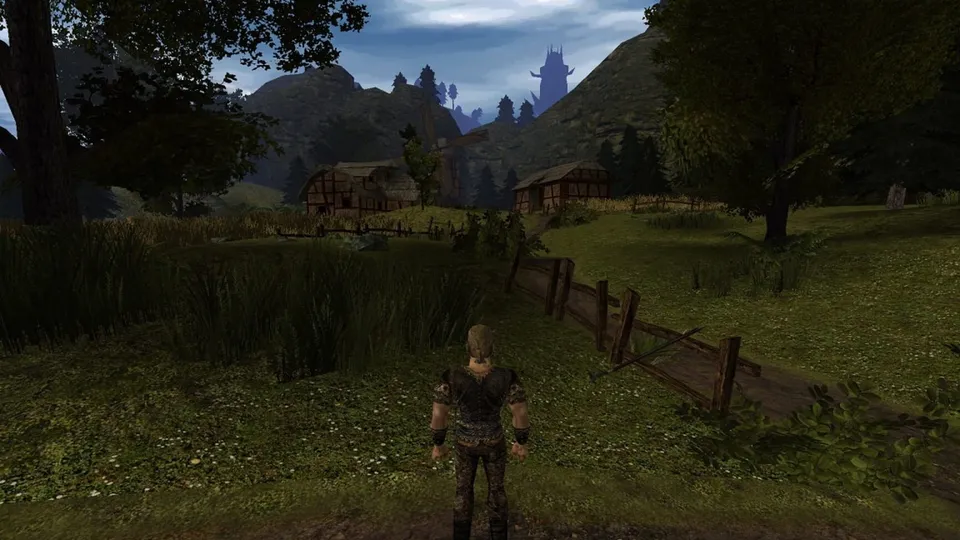
OpenGothic is an open-source re-implementation of Gothic II: Night of the Raven for Windows, Linux and macOS, built for modern graphics (DirectX 12, Vulkan, Metal, ray tracing). The main quest and the addon are completable. It needs your own installed copy of Gothic II. Latest release: v0.92, 17 May 2026.
This site is not affiliated with OpenGothic, Piranha Bytes or THQ Nordic. We do not host any files and only link the project’s official pages.
What it is
Piranha Bytes’ Gothic II (2002) and its expansion Night of the Raven (2003) are cult RPGs, especially in Europe. The original Windows engine is fragile on modern systems and needs community patches to run reliably.
OpenGothic is an “open source re-implementation of Gothic 2: Night of the Raven”. Its README explains the motivation: the original games “are still great games, but it’s not easy to make them work on modern systems”. The goal is “a feature-complete Gothic game client, compatible with the original game data and mods” (OpenGothic README). It reads the original assets and scripts from your installation.
Current status
- Status: Working. The README states: “The original game has been completely replicated; you can complete both the main quest and the addon.”
- Latest release: v0.92, 17 May 2026, for Windows x64, Linux (deb and zip) and macOS (arm64 and x64). Newer test builds come from the project’s CI; the repository was last updated on 2 November 2026.
- Gothic 1: not officially supported.
- Graphics: DirectX 12 or Vulkan on Windows, Vulkan on Linux, Metal on macOS. It uses features such as mesh shaders and ray tracing; mesh shaders are optional, but older GPUs will struggle.
What you need
- Gothic II: Night of the Raven, installed (Steam, GOG or disc). OpenGothic finds it automatically in common places, such as
C:\Program Files (x86)\Steam\steamapps\common\Gothic II. - A computer with a modern GPU supporting DirectX 12, Vulkan or Metal.
We do not link any copies of the game files.
How setup works (overview)
- Install Gothic II: Night of the Raven.
- Download OpenGothic from the releases page and extract it into a folder of your choice. On Debian or Ubuntu you can install the
.deb; Arch users can use the AUR package; Mac users can get builds from Mac Source Ports. - Run
Gothic2Notr.exe(orGothic2Notron Linux and Mac). - If the game is not found, pass its folder with
-g, for exampleGothic2Notr.exe -g "C:\Program Files (x86)\Steam\steamapps\common\Gothic II".
On Linux, install Gothic II through Wine or Proton (or copy the files from a Windows install) and point OpenGothic at that folder.
Common problems
- Nothing happens when you start it: open
log.txt; if it saysinvalid gothic path, use the-goption above. - Poor performance: OpenGothic targets modern hardware. Lower settings, or use the original game with community patches on older PCs.
- Gothic 1 bugs: expected; only Gothic 2 is officially supported.
FAQ
Can you finish Gothic 2 in OpenGothic?
Yes. The README says the original game has been completely replicated and that you can complete both the main quest and the Night of the Raven addon. Known issues are tracked on its bug tracker.
Does OpenGothic need the original Gothic 2?
Yes. Gothic II Night of the Raven must be installed, because OpenGothic includes no game assets or scripts. It detects common install folders, including Steam's, automatically.
Does OpenGothic support Gothic 1?
Not officially. Development focuses on Gothic 2, and new features are not tested with Gothic 1, though fixes for Gothic 1 bugs are accepted.
Will OpenGothic run on an old PC?
Probably not well. It is designed for modern graphics features such as mesh shaders and ray tracing, and needs DirectX 12 or Vulkan on Windows, Vulkan on Linux or Metal on Mac. The README warns not to expect good performance on low-end or outdated graphics cards.
What if OpenGothic does not start?
Check log.txt for the line invalid gothic path. If it is there, start Gothic2Notr.exe with -g followed by your Gothic II folder in quotes, or edit Gothic2Notr.bat to include it.
Unofficial. This page is written by an independent directory. It is not made by, endorsed by or affiliated with JoWooD Productions (developed by Piranha Bytes; now THQ Nordic) or Try and OpenGothic contributors (OpenGothic (Gothic II: Night of the Raven re-implementation)'s author). We do not host any files, and we never link to game files, ROMs or ISOs.
Sources
This page was last updated on Nov 3, 2026. A date after a source is the day we read it. Versions and steps follow the official project; if they differ, the official source wins.
- Try/OpenGothic README (re-implementation of Gothic 2 Night of the Raven, main quest and addon completable, Gothic 1 not officially supported, GPU expectations, how to play; checked 2026-11-03)
- GitHub API: OpenGothic repository (created 11 January 2019, about 1,650 stars, MIT, last push 2 November 2026; checked 2026-11-03)
- OpenGothic v0.92, 17 May 2026 (Windows, Linux .deb and zip, macOS arm64 and x64)
- Mac Source Ports: Gothic 2 (OpenGothic builds for macOS)
More ports
See every native PC version of a console game in our recompiled games list, browse all PC ports of console games, or go back to the full list of ported games.