Short answer
Dune II (1992), Westwood’s real-time strategy pioneer, runs natively on modern PCs through two open-source engines. OpenDUNE recreates the original. Dune Dynasty (latest 1.6.4, 31 May 2025) builds on it with widescreen, Command & Conquer-style controls, skirmish and multiplayer, for Windows, Mac and Linux. Both need the data files from your own copy of Dune II 1.07.
This site is not affiliated with Dune Dynasty, OpenDUNE, Westwood Studios or Electronic Arts. We do not host any files and only link the projects’ official pages.
What it is
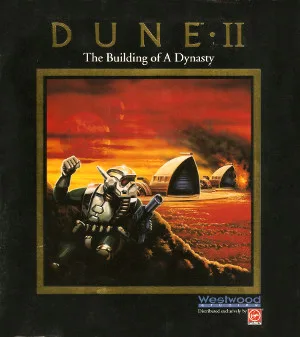
Dune II: The Building of a Dynasty (Battle for Arrakis in Europe) came out for DOS in 1992 and set the template for real-time strategy. It needs DOSBox today and has notoriously clunky controls: one unit at a time, no queues.
OpenDUNE is “an open source re-creation of the popular game Dune II”, which “attempts to re-create the original game and apply modern technology to it to allow it to be run natively on most operating systems” (OpenDUNE README). It is written in ANSI C on SDL and supports Windows, Mac, Linux, FreeBSD, and even Atari TOS, OS/2 and Haiku.
Dune Dynasty “builds upon the original game engine as reverse-engineered by the OpenDUNE project”. Its README stresses: “It is not a remake.” The goal is to make Dune II playable on modern systems with extra features, fixes and quality-of-life changes. The current GitHub project continues an abandoned SourceForge project.
Current status
- Dune Dynasty: Working, actively maintained (last update 2 November 2026). Latest release 1.6.4, 31 May 2025, for Windows (32-bit, 64-bit, ARM64), macOS (Intel and Apple silicon) and Linux (x86-64, ARM64, Flatpak).
- OpenDUNE: Working; last release 0.9 from May 2018, with code updates since.
What you need
- The
.PAKfiles from your own Dune II, version 1.07. Dune Dynasty’s README: the EU release works for all languages; the US release works for English only. - A Windows, Mac or Linux computer.
We do not link any copies of the game files.
How setup works (overview)
- Download Dune Dynasty from the releases page and unpack it.
- Copy the Dune II
.PAKfiles into thedatafolder next to the executable. (On macOS the folder is inside the app:Dune Dynasty.app/Contents/Resources/data.) - Start Dune Dynasty and pick a house campaign, or a skirmish.
- Adjust scaling, controls, music sets and optional gameplay changes in the options.
What Dune Dynasty adds
From its README:
- Graphics: high-resolution widescreen, separate scaling for menubar, sidebar and map for HiDPI displays, aspect-ratio correction, optional smoother unit animation.
- Controls in Command & Conquer style: build from a scrollable side panel, queue multiple items, drag-select units, double-click to select all units of a type, control groups, rally points, mouse-wheel zoom, touchscreen support on Windows.
- Skirmish and multiplayer: up to six human or AI players, custom alliances, random maps, and three extra factions (Fremen, Sardaukar, Mercenaries).
- Sound and music: emulated AdLib, MIDI through FluidSynth, and external music sets ranging from recorded MT-32 and Sega Mega Drive versions to film soundtracks, with an in-game jukebox.
- Optional gameplay changes: health bars, fog of war, a brutal AI, higher unit and structure limits, start level selection.
Which one to pick
For the game exactly as it was, OpenDUNE. For Dune II with modern controls and extras you can switch on or off, Dune Dynasty. For a full remake of the Dune RTS formula, see OpenRA, which includes Dune 2000.
FAQ
How do I play Dune II on Windows 10 or 11?
Use Dune Dynasty or OpenDUNE, two free open-source engines that run the original game natively. Both need the .PAK data files from your own copy of Dune II version 1.07. Dune Dynasty adds widescreen, modern controls and skirmish.
What is the difference between OpenDUNE and Dune Dynasty?
OpenDUNE re-creates the original game as closely as possible on modern systems. Dune Dynasty builds on OpenDUNE's reverse-engineered engine and adds high-resolution widescreen, Command and Conquer style controls such as a sidebar and unit selection boxes, skirmish and multiplayer with extra factions, and many optional enhancements.
Which Dune II files do I need?
The *.PAK files from version 1.07. Dune Dynasty's README says the EU release works for all languages and the US release for English; French and German need the EU release. We do not link the files.
Is Dune Dynasty a remake?
No. Its README says it is not a remake but an enhancement that makes Dune II playable on modern systems with extra features, bug fixes and quality-of-life improvements, using the original game data.
Does Dune Dynasty have multiplayer?
Yes. Skirmish and multiplayer support up to six human or AI players, custom alliances, random maps and three extra factions (Fremen, Sardaukar and Mercenaries).
Unofficial. This page is written by an independent directory. It is not made by, endorsed by or affiliated with Virgin Games (developed by Westwood Studios) or Gameflorist and Dune Dynasty contributors; OpenDUNE team (Dune Dynasty and OpenDUNE (Dune II for modern PCs)'s author). We do not host any files, and we never link to game files, ROMs or ISOs.
Sources
This page was last updated on Nov 3, 2026. A date after a source is the day we read it. Versions and steps follow the official project; if they differ, the official source wins.
- gameflorist/dunedynasty README (enhancement of Dune II built on the OpenDUNE engine, features, skirmish, music, data files from v1.07; checked 2026-11-03)
- Dune Dynasty v1.6.4 release, 31 May 2025 (Windows, macOS and Linux files, Flatpak)
- OpenDUNE/OpenDUNE README (open-source re-creation of Dune II, ANSI C with SDL, supported platforms; checked 2026-11-03)
- OpenDUNE 0.9 release, 25 May 2018
- Dune Dynasty on SourceForge (the original, abandoned project)
More ports
See every native PC version of a console game in our recompiled games list, browse all PC ports of console games, or go back to the full list of ported games.