Short answer (checked 20 October 2026)
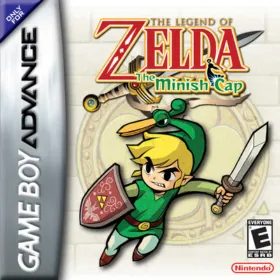
Yes, The Legend of Zelda: The Minish Cap runs natively on PC, unofficially, through Project Picori, a port built on the community decompilation of the GBA game. The latest build is 0.9.6 (20 October 2026) for Windows, Linux and macOS, plus an Android APK. It is still a work in progress, and you need your own USA, European or Japanese ROM.
The Minish Cap came out on the Game Boy Advance in 2004, made by Capcom and Flagship for Nintendo, and has only been re-released on Nintendo’s own consoles. The PC port appeared at the start of May 2026: Time Extension and DSOGaming covered it within days, when audio was still mostly missing and the developer called rendering and gameplay “still rough”. Over 0.x releases since then it has gained sound, widescreen, a randomizer and an Android build.
This site is not affiliated with 999sian, MatheoVignaud, the zeldaret team or Nintendo.
What it is
-
A decompilation-based port: zeldaret/tmc rebuilt the game’s code as C. Project Picori compiles that code for x86-64 and ARM64 systems instead of turning it back into a GBA ROM.
-
No emulator: SDL3 handles the window, input and sound, a vendored software renderer (
port/ppu) draws the GBA graphics, and the agbplay engine plays the music. An optional SDL_GPU backend adds shader presets such as CRT and LCD looks. -
Who made it: the first
tmc_pcbuilds came out in MatheoVignaud’s fork of the decompilation on 3 May 2026. 999sian’s fork of that repository, created on 1 May and later named Project Picori, has carried the work on since; MatheoVignaud’s last build was a 0.2.0 pre-release on 17 May. Time Extension credited 999sian and DSOGaming credited MatheoVignaud. Picori’s own changelog lists builds from 2 May onwards. -
AI tools: the README says nothing about AI, but the repository includes instruction files for AI coding agents (
AGENTS.md), and the 0.9.6 release came from a branch named after OpenAI’s Codex. We couldn’t confirm how much of the port was written with AI; the game logic comes from the decompilation.
Other decompilation-based ports are in our recompiled games list.
Current status
| State | Work in progress (0.9.x); no 1.0 yet |
| Latest build | 0.9.6, 20 October 2026 (0.9.5 on 28 September) |
| Platforms | Windows, Linux and macOS, each for x64 and ARM64 (Apple silicon on Mac); Android APK |
| Licence | GPL-3.0 for the port; the agbplay audio code is LGPL-3.0 |
Features listed in the README and changelog:
- widescreen, with backgrounds extended into the side margins, and an optional Console-Parity mode that keeps the original GBA picture;
- upscalers (nearest-neighbour and xBRZ 4×), shader presets on the GPU renderer, and an optional smooth “HD dialogue” text mode drawn from the game’s own lettering;
- a built-in randomizer, and quality-of-life options taken from the Minish Cap Reborn hack, such as quick item shortcuts;
- quicksaves (F5 / F6), fast-forward, a debug menu (F8) with warps and items, and rebindable controls;
- built-in text-to-speech for screen-reader users (F7), using NVDA or SAPI on Windows;
- opt-in RetroAchievements (softcore only; not available on Android);
- an experimental 3D view of rooms.
Known problems: the README still says many rendering and gameplay paths are rough. On 20 October 2026 there were 14 open issues, among them a softlock at the Wind Tribe Tower, randomizer crashes on Windows, a crash on ROM select for one Windows user, an audio problem and touch controls not showing on Android. The 0.9.6 notes say full playthroughs in every region and Android device tests were not done for that release. We didn’t play the game through ourselves.
What you need
- Your own Minish Cap ROM of the USA, European or Japanese release. The README gives a SHA-1 hash for each; one program handles all three and picks the region from the ROM. Put it next to the program as
baserom.gba(USA),baserom_eu.gbaorbaserom_jp.gba. We don’t explain how to obtain or copy game data. - Windows, Linux or macOS on x64 or ARM64, or an Android device for the APK.
- On first launch the program extracts the game’s graphics and sound from your ROM into a local
assetsfolder, which takes a few seconds. Nothing from the game ships with the download.
Saves go to tmc.sav; the README says they use the same format as mGBA and VisualBoyAdvance-M, so an existing save can be moved over.
How to install
At a high level, from the official README: download the archive for your system from the project’s GitHub Releases page, unpack it anywhere, put your ROM next to tmc_pc, and start it. To build it yourself, place the ROM in the repository folder and run python3 build.py, which checks the dependencies (xmake, SDL3, libpng and others), verifies the ROM and builds the program. A Nix flake is also provided.
Other Minish Cap projects
- zeldaret/tmc: the community decompilation that every port here builds on. On its own it rebuilds the GBA ROM; it is not a PC port.
- MatheoVignaud/tmc: the fork where the PC port started. It has had no new build since May 2026.
- Ports to other devices: several projects build on Project Picori, including a Nintendo 3DS port by EstebanPdN with dual-screen support, a Switch-focused edition, a Nintendo 64 experiment by 999sian and builds for Linux handhelds. They come from different people, and we haven’t tested them.
Is it official, and is it legal?
- Project Picori is an unofficial fan project, not affiliated with or endorsed by Nintendo or Capcom. The README says all Nintendo intellectual property remains Nintendo’s and that a legitimately owned ROM is required.
- The download contains no ROM; the game’s data comes from your own copy.
- Get builds only from the official GitHub repository. Legality depends on where you live.
Not working?
- “ROM not recognised”: the program only accepts the three retail ROMs listed in the README; check the file name and that the copy is unmodified.
- The first start seems to hang: it is extracting assets from your ROM; wait for the progress bar.
- Randomizer crashes on Windows: there are open reports for 0.9.5; try a normal game or the latest build.
- Problems on Android: the APK was not tested on devices for the latest release; report problems on the issue tracker.
The window title shows the version number; include it when you file an issue on GitHub. Other Zelda ports: A Link to the Past on PC, Ocarina of Time on PC and Wind Waker on PC.
FAQ
Is there a PC port of Zelda The Minish Cap?
Not an official one. Project Picori is an unofficial native PC version of the 2004 Game Boy Advance game for Windows, Linux and macOS, with an Android build as well. It is built on zeldaret/tmc, the community decompilation of the game. The latest version is 0.9.6 from 20 October 2026. You need your own ROM.
Is Project Picori an emulator?
No. The decompilation rebuilt the game's code as C source, and Project Picori compiles that code into a normal program for your system. SDL3, a software renderer for the GBA's graphics chip and the agbplay audio engine take the place of the GBA hardware.
Which Minish Cap ROM do I need?
Your own copy of the USA, European or Japanese release. The README lists a SHA-1 hash for each one, and the program checks the ROM against them and picks the right region by itself. We don't explain how to get game files.
Can I use my mGBA save?
Yes, according to the README. Saves use the same byte order as mGBA and VisualBoyAdvance-M, so a Minish Cap save from those emulators can be renamed to tmc.sav and loaded, and the other way round.
Does it work on Android?
The releases include an Android APK, and the changelog has worked on audio and touch controls for phones since July 2026. The 0.9.6 notes say the team did not test it on Android devices for that release, and an open issue reports touch controls not showing for one user.
Who made the Minish Cap PC port, MatheoVignaud or 999sian?
Both worked on it. The first tmc_pc builds came out in early May 2026 in MatheoVignaud's fork of the decompilation, and press reports named either developer. 999sian's fork, renamed Project Picori, has carried the work on since mid-May and is where new releases come from.
Unofficial. This page is written by an independent directory. It is not made by, endorsed by or affiliated with Nintendo (developed by Capcom and Flagship) or 999sian and contributors (port started in MatheoVignaud's fork of the zeldaret/tmc decompilation) (Project Picori (Zelda: The Minish Cap PC port)'s author). We do not host any files, and we never link to game files, ROMs or ISOs.
Sources
Facts on this page were checked against these official sources on Oct 21, 2026. Versions and steps follow the official project; if they differ, the official source wins.
- 999sian/tmc repository and README (Project Picori: supported ROMs, release contents, controls, renderer, accessibility, GPL-3.0 licence, Nintendo IP note)
- GitHub API: 999sian/tmc repository (created 2026-05-01 as a fork of MatheoVignaud/tmc; 14 open issues on 2026-10-20)
- Project Picori v0.9.6 release notes (20 October 2026; Windows, Linux and macOS builds plus an Android APK; Android device QA not performed)
- Project Picori CHANGELOG (0.1.x-experimental builds from 2 May 2026 to v0.9.6; Android app since v0.8.0)
- Project Picori Minish Cap Reborn parity notes (features ported from Admentus64's The Minish Cap Reborn)
- Project Picori open issues (checked 2026-10-20)
- MatheoVignaud/tmc repository (decompilation fork with the first tmc_pc builds, v0.1.0 on 3 May 2026 to 0.2.0-pre on 17 May 2026)
- zeldaret/tmc: the community decompilation of The Minish Cap
- Time Extension: Zelda: Minish Cap gets natively ported to PC (4 May 2026)
- DSOGaming: The Legend of Zelda: The Minish Cap unofficial PC port released (5 May 2026)
- EstebanPdN/zelda-tmc-3ds: Nintendo 3DS port based on Project Picori