Short answer
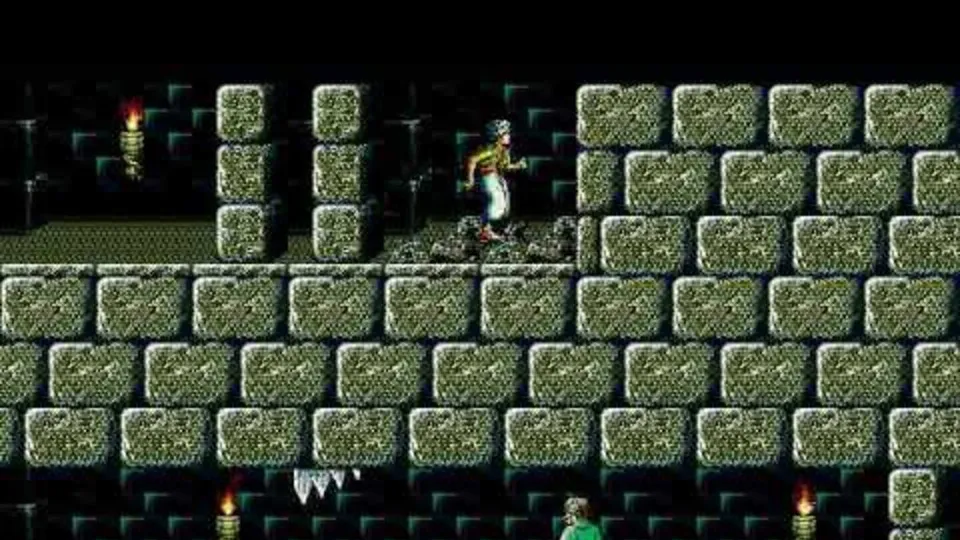
SDLPoP is an open-source port of the original Prince of Persia (1989), built from a disassembly of the DOS version, for Windows, Linux and macOS. It plays like the original and adds quicksave, replays, full screen and mods. The data files are included, so there is nothing else to get. Latest tag: v1.23 (February 2023), with a v1.24 release candidate.
This site is not affiliated with SDLPoP, Jordan Mechner, Broderbund or Ubisoft. We do not host any files and only link the project’s official pages.
What it is
Jordan Mechner’s Prince of Persia came out for the Apple II in 1989 and for DOS in 1990. The DOS version needs DOSBox today.
SDLPoP is “an open-source port of Prince of Persia, based on the disassembly of the DOS version, extended with new features” (SDLPoP README). Its author, NagyD (David from the Princed forum), first disassembled the DOS executable and then rebuilt it as C code on SDL, so it runs natively on modern systems. Many contributors have since added features, notably Falcury (SDL2 port, quicksave improvements, replays, mod folders, pause menu, MIDI).
Current status
- Status: Working and complete. The repository was last updated in December 2025.
- Versions: latest tag v1.23 (4 February 2023) and a v1.24 release candidate. Compiled builds are on PoPOT.
- Platforms: Windows, Linux and macOS officially, with community builds for many other systems.
What you need
Nothing beyond SDLPoP itself: the repository’s data folder holds the game’s data files. A computer that runs SDL2 is enough.
How to start
- Download a compiled version from PoPOT, or build it from the GitHub source.
- On Windows, double-click
prince.exe. On Linux and Mac, run theprincebinary. - Press Alt+Enter for full screen. Change other options in
SDLPoP.inior the in-game settings menu.
What SDLPoP adds
All of these are marked in the README as features “not found in the original game”:
- Quicksave and quickload (F6 and F9).
- Replays: record and play back runs, and validate replay files.
- Full screen and a resizable window, plus gamepad and joystick support.
- Mods: run with custom data from
mods/<name>/. - A pause menu, MIDI music and many settings in
SDLPoP.ini. - Debug cheats and screenshot tools, including whole-level map screenshots.
Common problems
- Settings not saving: SDLPoP reads its options from
SDLPoP.ininext to the executable; make sure the folder is writable. - A mod does not load: each mod needs its own folder under
mods, and the name you pass must match the folder name exactly.
FAQ
How do I play the original Prince of Persia on Windows 10 or 11?
Use SDLPoP, an open-source port of the 1989 game built from a disassembly of the DOS version. It runs natively on modern Windows, Linux and macOS without DOSBox, and the data files are included in its packages.
Is SDLPoP the same game as the original?
Yes, the gameplay comes from the original DOS code. SDLPoP adds optional extras that the original did not have, such as quicksave (F6) and quickload (F9), replays, a resizable window, full screen, gamepad support and mod folders. The README marks every addition.
Where do I download SDLPoP?
Compiled versions are on the PoPOT site, linked from the README, and the source is on GitHub. The latest tag on 3 November 2026 was v1.23 from February 2023, with a v1.24 release candidate.
Can I play Prince of Persia mods in SDLPoP?
Yes. Put a mod's data in its own folder under mods and start SDLPoP with the mod option, or choose it in the settings. Many classic Prince of Persia level mods from the Princed community work.
Does SDLPoP run on other systems?
The community has built it for Android, Dreamcast, PSP, AmigaOS 4, OS/2 and more. Those builds are separate projects.
Unofficial. This page is written by an independent directory. It is not made by, endorsed by or affiliated with Broderbund (created by Jordan Mechner; now Ubisoft) or NagyD (David) and contributors (SDLPoP (Prince of Persia port)'s author). We do not host any files, and we never link to game files, ROMs or ISOs.
Sources
This page was last updated on Nov 3, 2026. A date after a source is the day we read it. Versions and steps follow the official project; if they differ, the official source wins.
- NagyD/SDLPoP README (open-source port based on the DOS disassembly, authors, features not in the original, keys, replays, mods; checked 2026-11-03)
- GitHub API: SDLPoP repository (created 2 May 2015, about 1,310 stars, GPL-3.0, last push 24 December 2025; checked 2026-11-03)
- SDLPoP data folder in the repository (original data files included; checked 2026-11-03)
- PoPOT: compiled SDLPoP versions
- Princed forum: SDLPoP board
More ports
See every native PC version of a console game in our recompiled games list, browse all PC ports of console games, or go back to the full list of ported games.