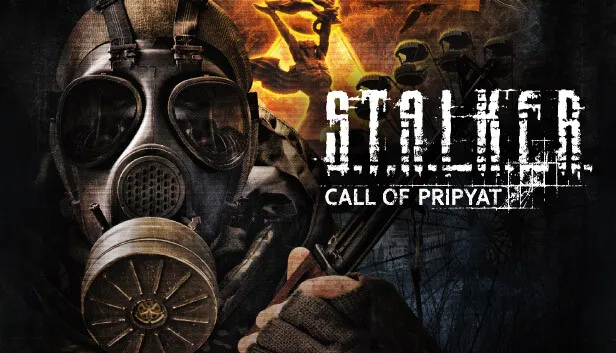
ZoneVM runs S.T.A.L.K.E.R.: Call of Pripyat and the Call of Chernobyl mod in a desktop browser tab. It is built on a WebAssembly version of OpenXRay, the open-source continuation of the X-Ray engine. You need your own game files: you pick the folder of your installation in the page, and the game runs from a copy in your browser. The author calls it very much a work in progress, so expect crashes. The site was online when we checked on 20 October 2026.
What it is
ZoneVM is made by x8BitRain, who also made the WebXash front end for Counter-Strike 1.6 and Half-Life. The repository was created in September 2026. It pairs a web launcher with x8BitRain’s own fork of OpenXRay that compiles to WebAssembly. The README lists two supported games so far: Call of Pripyat and Call of Chernobyl.
How to play
- Have your S.T.A.L.K.E.R. game (or Call of Chernobyl) installed on your computer.
- Open ZoneVM in a desktop browser and click add game folder, then select the game folder.
- Set the resolution and, if you like, launch arguments, and click launch.
The page remembers the folder you picked, so next time you can start the game from its list without selecting the folder again.
Saves and files
The game does not run straight from your folder. ZoneVM copies it into the browser’s private storage (OPFS) and runs it from there. Saves, screenshots and logs are copied back to your game folder in the background, so they stay with your normal installation.
Controls
All controls are the same as in the PC game, with one change: Escape is rebound to Right Shift, because the browser uses Escape to leave fullscreen. Press Right Shift to pause and to go back in menus.
Requirements
- Your own copy of S.T.A.L.K.E.R.: Call of Pripyat, sold by GSC Game World, or a Call of Chernobyl installation.
- A current desktop browser, keyboard and mouse. The README does not list supported browsers, and we have not tested phones.
We do not link any source for game files.
Is it safe and legal?
It is an unofficial fan project, not made or endorsed by GSC Game World. The game runs from files you already own, inside your own browser. The engine underneath, OpenXRay, is a long-running open-source project.
Not working?
- Ctrl+W closes the tab: crouch-walking forward is Ctrl+W, which Chrome treats as “close tab” outside fullscreen. Play in fullscreen.
- Crashes: the author warns that both games have not been tested thoroughly yet. Report problems on the GitHub repository.
- Looking for another game that runs from your own files? See WebXash for Counter-Strike 1.6 and Half-Life.
FAQ
Can you play S.T.A.L.K.E.R. in a browser?
Yes, with ZoneVM, if you own the game. It runs S.T.A.L.K.E.R.: Call of Pripyat, and the Call of Chernobyl mod, in a desktop browser tab using a WebAssembly build of the open-source OpenXRay engine and the game files from your own installation.
Is ZoneVM free?
The site is free, but the game is not included. You select the folder of your own S.T.A.L.K.E.R. installation; Call of Pripyat is sold by GSC Game World on Steam and other stores.
Where are my saves stored?
The game runs from a copy of your folder in the browser's private storage. ZoneVM copies saves, screenshots and logs back to your own game folder in the background.
How do I pause the game in ZoneVM?
Press Right Shift. Escape is rebound to Right Shift because the browser uses Escape to leave fullscreen.
Is ZoneVM finished?
No. The author describes it as very much a work in progress and says both supported games have not been tested thoroughly, so expect crashes and bugs.
Unofficial. This page is written by an independent directory. It is not made by, endorsed by or affiliated with GSC Game World or x8BitRain (ZoneVM (S.T.A.L.K.E.R.: Call of Pripyat)'s author). We do not host any files, and we never link to game files, ROMs or ISOs.
Sources
Facts on this page were checked against these official sources on Oct 20, 2026. Versions and steps follow the official project; if they differ, the official source wins.