Short answer
OpenJK is the community-maintained engine for Star Wars Jedi Knight: Jedi Academy (single and multiplayer) and Jedi Outcast (single player), built from the source code Raven Software released. It runs on 64-bit Windows, Apple silicon and Intel Macs, and Linux, fully compatible with existing mods. You need your own copy of the game. Builds are updated continuously; the latest is from 29 September 2026.
This site is not affiliated with OpenJK, Raven Software, LucasArts or Disney. We do not host any files and only link the project’s official pages.
What it is
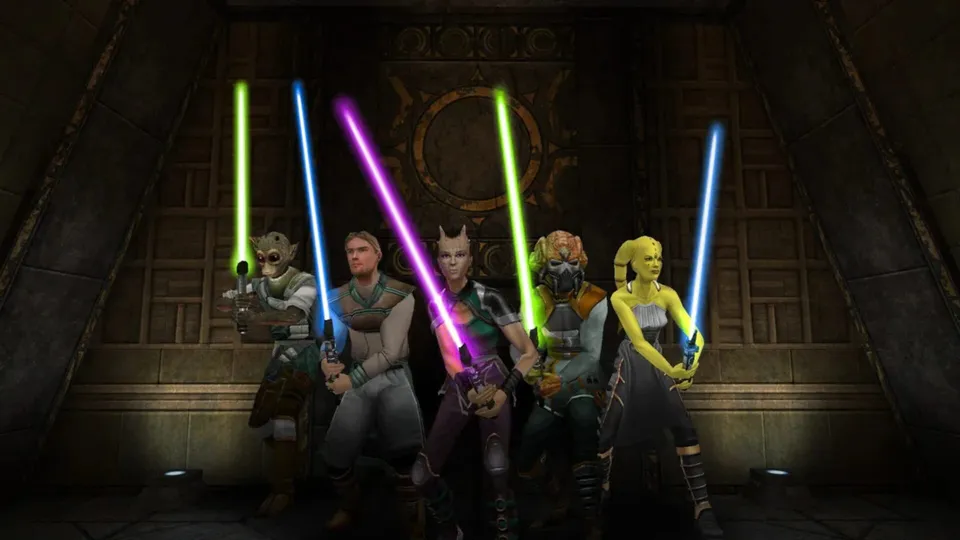
Jedi Outcast (2002) and Jedi Academy (2003) are Raven Software’s lightsaber shooters on the Quake III engine. In 2013, after Disney closed LucasArts, Raven released the source code of both games under the GPL.
OpenJK started the same year as “a community effort to maintain and improve the game and engine powering Jedi Academy and Jedi Outcast, while maintaining full backwards compatibility with the existing games and mods” (OpenJK README). Its stated aims are to fix bugs and improve performance, support more hardware (x86-64, Arm, Apple silicon) and systems (Linux, macOS), and give modders a clean base. It explicitly does not add major features or rebalance the game.
Current status
- Status: Working. The repository was last updated on 29 September 2026.
- Builds: a rolling latest release (29 September 2026) with OpenJK (Jedi Academy) and OpenJO (Jedi Outcast) packages for Windows x86 and x86-64, macOS arm64 and x86_64, and Linux x86 and x86-64. Mirror: builds.openjk.org.
| Game | Single player | Multiplayer |
|---|---|---|
| Jedi Academy | Stable | Stable |
| Jedi Outcast | Works, needs attention | Not supported (use JK2MV) |
What you need
- Your own Jedi Academy installation, from Steam, GOG, the Mac App Store or the original discs. For OpenJO, Jedi Outcast.
- A Windows, Mac or Linux computer. On Linux without a Windows install, the README explains how to fetch the Windows game files with SteamCMD.
We do not link any copies of the game data.
How setup works (overview)
- Install Jedi Academy.
- Download the build for your system from the latest release.
- Extract it into the game’s
GameData/folder (for Steam:steamapps/common/Jedi Academy/GameData/). With the Mac App Store version, extract it into the app’sContentsfolder and install SDL2 with Homebrew. - Run the OpenJK executable for your system (single player and multiplayer have their own) instead of the original game.
On macOS, saves, configs and logs go to ~/Library/Application Support/OpenJK/.
In a browser
The Jedi Academy OpenJK Web Client is a community project that compiles OpenJK to WebAssembly. You choose your player name, select all .pk3 files from your local GameData/base folder once, and the browser keeps them locally for single player or multiplayer. The site says assets “stay on this device”. Multiplayer can join its public free-for-all server. It is not run by the OpenJK team, and we have not tested it.
Common problems
- Mods not loading: make sure OpenJK is inside
GameDatanext to thebasefolder; mods go in their own folders there as with the original game. - Jedi Outcast multiplayer servers missing: OpenJO does not support Jedi Outcast multiplayer; use JK2MV.
- Old 32-bit executable names: older guides mention
openjk.x86.exe; current builds also ship 64-bit binaries. Use the one for your system.
FAQ
How do I play Jedi Academy on Windows 11?
Install Jedi Academy from Steam or GOG, then extract OpenJK's Windows build into the game's GameData folder and run openjk.x86.exe (or the 64-bit executable in the newer builds). It fixes engine bugs and runs on modern 64-bit systems while keeping full compatibility with existing mods.
Does OpenJK work for Jedi Outcast?
Single player, yes; the README says it works but needs attention. Jedi Outcast multiplayer is not supported, and OpenJK recommends JK2MV for that.
Does OpenJK change the gameplay?
No. The project states that it does not intend to add major features, rebalance or modify core gameplay. It focuses on stability, performance and support for more hardware and systems.
Does OpenJK run on Apple silicon Macs?
Yes. The current builds include macOS arm64 and x86_64 packages. With the Mac App Store version of Jedi Academy, you extract OpenJK into the app's Contents folder.
Can I play Jedi Academy in a browser?
A community site, jk.q3js.com, runs OpenJK compiled to WebAssembly. You select the .pk3 files from your own GameData/base folder once, then play single player or join its public free-for-all server. It is not run by the OpenJK team.
Unofficial. This page is written by an independent directory. It is not made by, endorsed by or affiliated with LucasArts (developed by Raven Software) or JACoders (OpenJK contributors) (OpenJK (Jedi Academy and Jedi Outcast engine)'s author). We do not host any files, and we never link to game files, ROMs or ISOs.
Sources
This page was last updated on Nov 3, 2026. A date after a source is the day we read it. Versions and steps follow the official project; if they differ, the official source wins.
- JACoders/OpenJK README (aims, full mod compatibility, supported games table, install into GameData, Linux and macOS steps, GPLv2; checked 2026-11-03)
- GitHub API: OpenJK repository (created 4 April 2013, about 2,320 stars, GPL-2.0, last push 29 September 2026; checked 2026-11-03)
- OpenJK rolling "latest" build, 29 September 2026 (OpenJK and OpenJO for Windows, macOS and Linux)
- Jedi Academy OpenJK Web Client at jk.q3js.com (WebAssembly, uses your own .pk3 files, public FFA server; checked 2026-11-03)
- Star Wars Jedi Knight: Jedi Academy on Steam
- JK2MV, recommended by OpenJK for Jedi Outcast multiplayer
More ports
See every native PC version of a console game in our recompiled games list, browse all PC ports of console games, or go back to the full list of ported games.