Short answer
Yes, you can play the 1984 DOS game Alley Cat in your browser. alleycat.exe by petarov recompiles the original executable into a native program for Windows, Linux and macOS, and its web version opens on the title screen in a tab with nothing to install. Latest release: 1.3 (16 October 2026). The author says about 99% of the code is AI-generated.
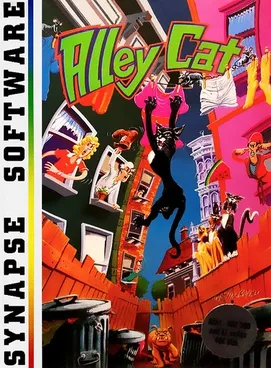
Alley Cat is Bill Williams’ action game, released by Synapse for Atari 8-bit computers in 1983 and by IBM for the PC in 1984 (credited to SynSoft). You play a cat climbing fences and leaping through apartment windows to reach rooms with mice, fish bowls, sleeping dogs and a lady cat. The recompilation project was created on 11 October 2026.
This site is not affiliated with the project or with the original game’s owners.
How to play
- Press Play above; the web version opens in a new tab.
- Press a key or click to start the music, then use the options to pick a skill level: K, H, T or A (or 1 to 4). The game gets harder as you clear rooms.
- Cursor keys move the cat and jump.
- Alt (PC) or Option (Mac) does each room’s special action:
- Room 6 (milk bowls and sleeping dogs): hold it next to a bowl to drink. A full bowl takes several sips, and there are 12 bowls.
- Room 7 (the hearts room): drops a gift on the nearest shelf. A rival cat that takes it stays away for a while.
- Ctrl+S toggles sound, Ctrl+R returns to the title screen. Ctrl+I makes the cat invincible against the dog, the cat head in the bins and the rival cats.
The game uses CGA colours by default; the README also shows PCjr colours, switched on with the -pcjr option.
Downloads
The Releases page has builds for Windows x64, Linux x64 and macOS (an Intel build that also runs on Apple Silicon through Rosetta 2). The macOS build is not signed: allow it under Privacy & Security, or remove the quarantine flag as the README explains.
About the AI code
The README is upfront: about 99% of the code was generated by an LLM and only roughly reviewed. If that matters to you, the author’s own advice is to avoid the project.
Not working?
- No sound: browsers block audio until you press a key or click.
- macOS says the app can’t be opened: it isn’t notarized; allow it in System Settings.
More classics you can play in a tab: SimCity Classic, Lugaru.
FAQ
Can I play Alley Cat online?
Yes. alleycat.exe by petarov has a web version that opens straight to the 1984 title screen in a browser tab, with nothing to install and no files to provide. It worked when we checked on 24 October 2026.
What is alleycat.exe?
A recompilation of the original DOS executable of Alley Cat into a native x86-64 program for Windows, Linux and macOS, plus a web version. It is not an emulator running the old file.
Was it made with AI?
Yes, by the author's own account. The README says about 99% of the code is LLM-generated and only roughly reviewed, and advises people with concerns about AI-generated code to avoid the project.
What are the controls?
Cursor keys move and jump. Alt on a PC, or Option on a Mac, does the room's special action, such as drinking from a milk bowl. Ctrl+S toggles sound and Ctrl+R returns to the title screen. K, H, T and A in the options menu pick the skill level.
Unofficial. This page is written by an independent directory. It is not made by, endorsed by or affiliated with IBM (SynSoft; by Bill Williams) or petarov (Alley Cat recomp (alleycat.exe)'s author). We do not host any files, and we never link to game files, ROMs or ISOs.
Sources
This page was last updated on Oct 24, 2026. A date after a source is the day we read it. Versions and steps follow the official project; if they differ, the official source wins.
More ports
More browser game ports you can play in a tab, the newest ports added this week, or the full list of ported games.